Ready
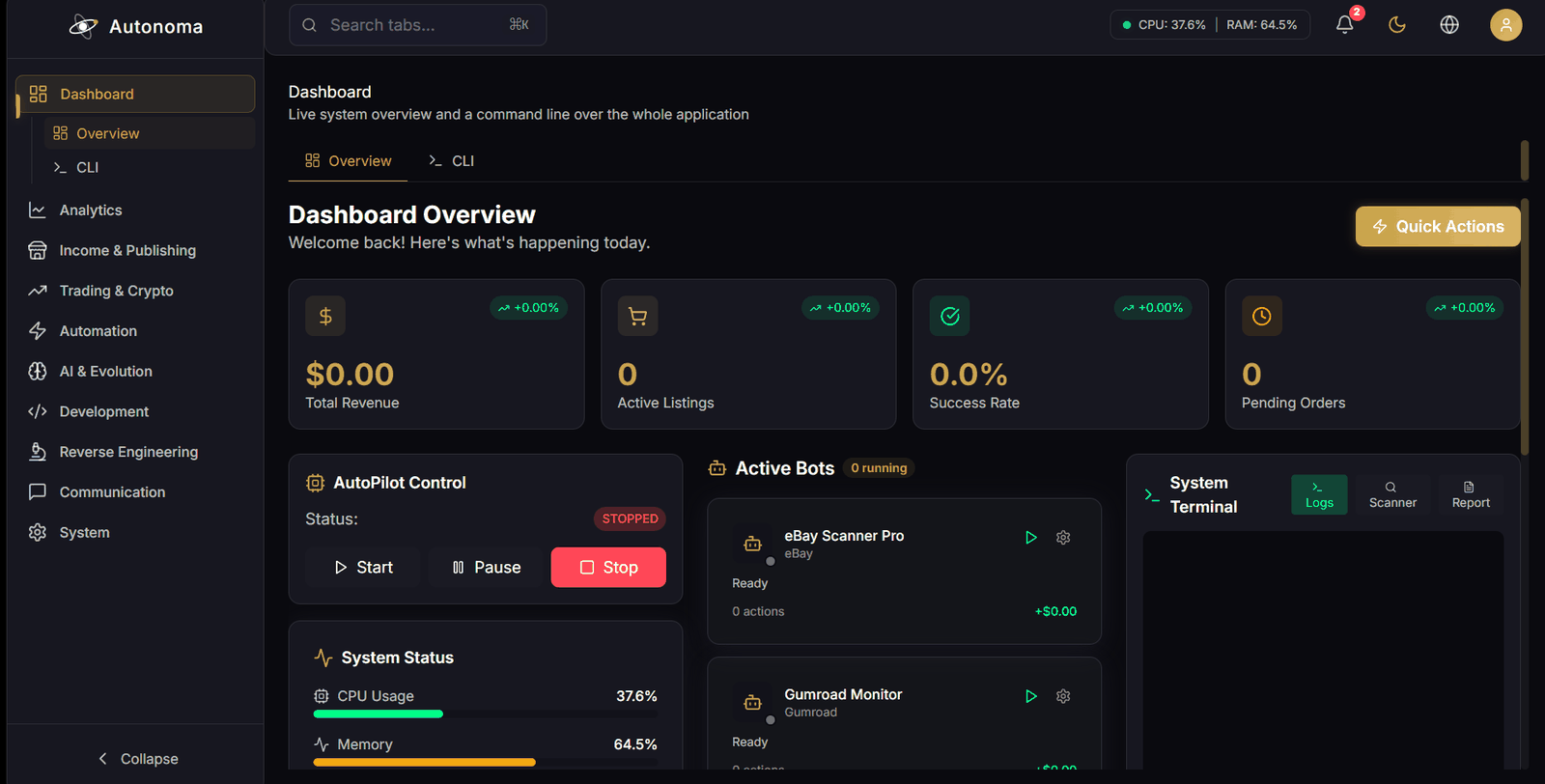
Overview
Run a system scan, review and auto-fix detected issues, and start, stop or pause your bots alongside live health and activity.
11 areas, 58 screens. You are not expected to use all of it — pick the two or three areas that match your work and ignore the rest.
Each screen below is marked ready, off by default, or works with a caveat. Where something has a known limitation it is printed next to the claim rather than left for you to find.
Where you start, and the command line that can drive everything else.
Ready
Run a system scan, review and auto-fix detected issues, and start, stop or pause your bots alongside live health and activity.
Ready
Drive the whole application from an agentic command line, with model selection, per-step confirmation or auto-approve, cancellation, and saved transcripts. It is reachable from the Development area too; it is one screen, counted once.
What actually happened, read back from your own local database.
Works, with a caveat
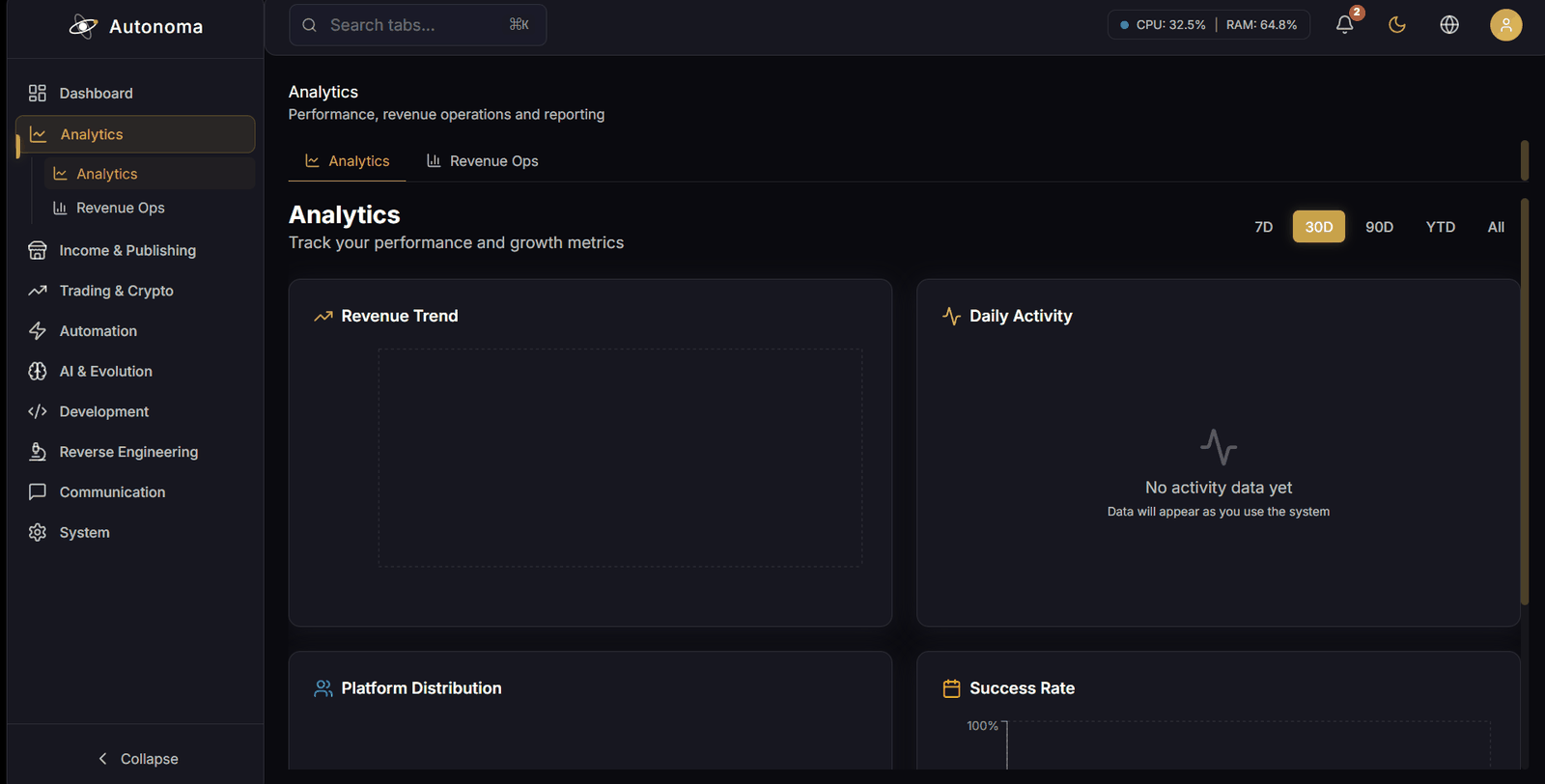
Revenue, activity and platform-distribution charts over 7 days, 30 days, 90 days, year to date or all time. This screen is what the Studio plan calls "Advanced analytics"; on Personal it says so rather than drawing empty charts.
Charts are empty until your local metrics database has data. Nothing is invented to fill the gap. Your earnings are on Revenue Ops, which every plan includes.
Ready
Revenue by stream and by platform with trend deltas, order counts and average order value, exportable as CSV.
Making things, selling them, and reading back what you made.
Ready
Publish products to Gumroad and Printify, remove listings, and watch storefront status update live. This is also where Ebook Studio lives.
Printify listings are created through its API. Gumroad does not expose product creation to its public API, so creating a Gumroad listing uses browser automation with your own sign-in, or you create it once in Gumroad and manage it here. Everything after creation — pricing, updates, removal, status — is the API on both.
Ready
Inside Storefront, not a screen of its own — so it is described here but not counted in the 58.
Write a whole book and produce it in one place: an AI-written guide or novel, audience-aware, out as EPUB, PDF and cover art — or a low-content planner, journal or workbook aimed at KDP. Everything lands in one catalogue with a publishing checklist.
Uploading to KDP is manual. The checklist walks you through it rather than pretending Amazon has an API for this.
Ready
Turn a book into a narrated audiobook: audition voices, narrate chapter by chapter, and manage the finished files.
Mastering and M4B chaptering need ffmpeg installed; the app says so rather than failing quietly.
Ready
Read and listen to everything you have produced without leaving the app — ebooks, children’s books, planners, audiobooks and generated images, with a real PDF reader, EPUB reader, audio player and image viewer.
Ready
Set up recurring channels and watch them: memberships, content-site articles, stock media, YouTube, print-on-demand, staking and API monetisation.
Each channel shows what it still needs until you configure it, rather than showing zeros.
Ready
Run a creator marketplace and a partner or affiliate programme: review applicants, approve them, and keep a payout ledger.
Autonoma sends no money. Payouts are recorded against a transaction you made in your own payment provider.
Present, capable, and switched off until you decide otherwise.
Off by default
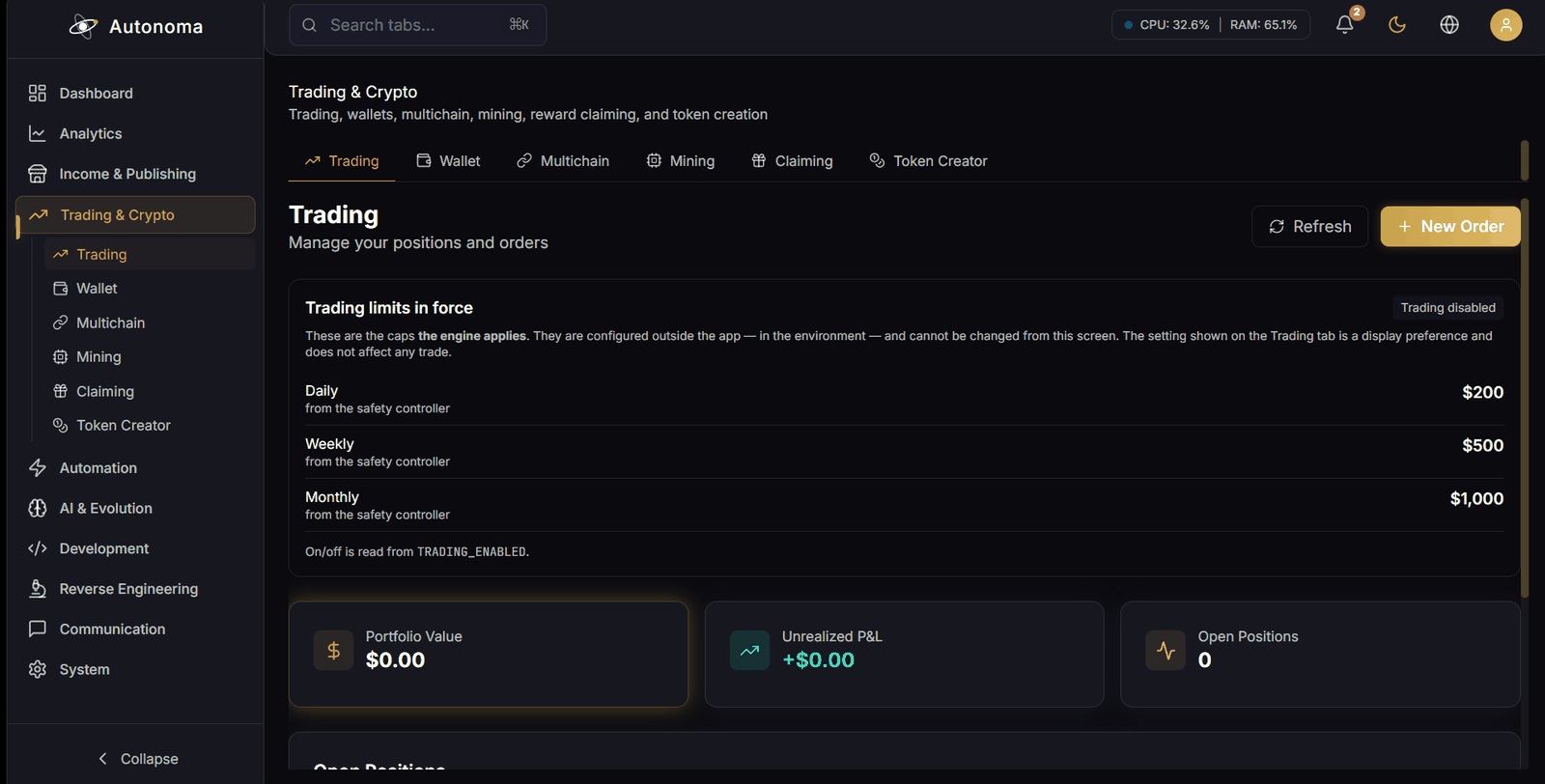
Positions, orders, balance and unrealised profit and loss, with order placement, closing and cancellation.
A safety gate can refuse a trade. A refused trade is reported as refused — never as placed.
Ready
Connect a wallet and review balances, with swap, stake and bridge actions.
Several of those actions hand off to an external interface rather than transacting inside the app.
Works, with a caveat
Per-chain balances and metrics, a record of past bridge transfers, and a security audit of your Autonoma configuration.
Cross-chain transfers are NOT implemented in this build — the bridge dialog explores routes and moves nothing, and says so before you fill it in. Revoking a token approval is deliberately not automated either: the app points you at your own wallet. The security audit checks Autonoma’s own settings, not your wallets or the chains.
Off by default
Start and stop a real CPU miner, choose coin, algorithm, pool and thread count, and watch hashrate, shares and power draw.
Neither total coins mined nor an estimated daily yield is reported — both need the pool’s own API and a live price feed, and neither is wired. The screen says so rather than showing a zero.
Off by default
Scan a wallet for claimable airdrops, staking rewards and faucet rewards, and claim them individually with a confirmation step.
Individually. Claiming a whole list in one press is refused by the backend on every call, and the Operations screen prints that refusal rather than drawing a button for it.
Off by default
Configure a token, preview the contract, estimate gas, deploy it on-chain and monitor it afterwards.
This handles a deployer private key. Treat it with the seriousness that implies.
The scheduled, repeating work.
Ready
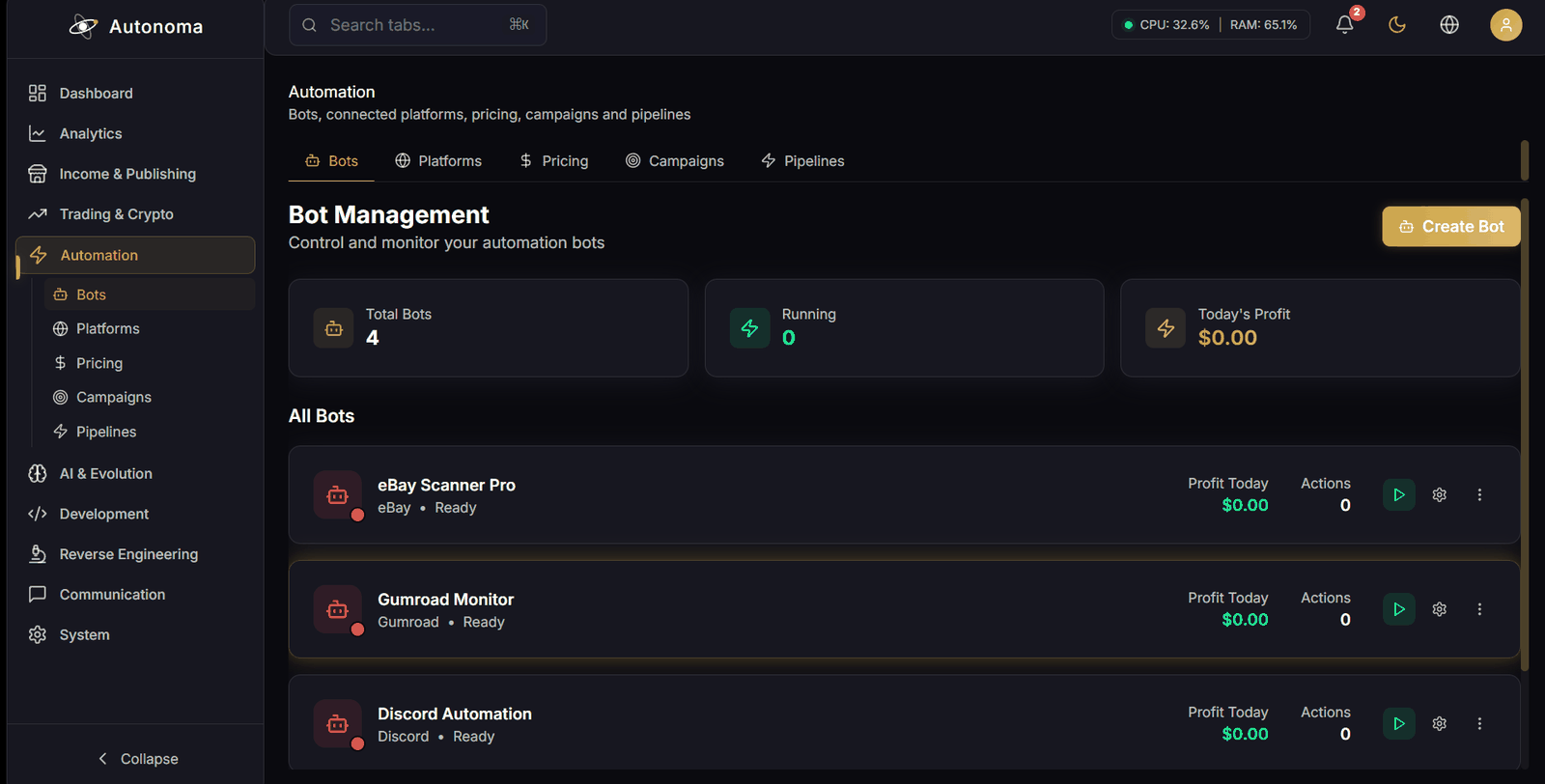
Create, configure, duplicate and delete automation bots, and start, stop or pause them.
Ready
Connect, disconnect, sync and configure the third-party accounts everything else posts and sells through.
Ready
Write pricing rules, apply bulk discounts, recalculate every price at once, and export a report.
Ready
Run time-boxed promotions — flash sales, discounts, bundles, referral and seasonal campaigns — with scheduling and a performance view.
Works, with a caveat
Browse defined automation pipelines, see run statistics and trigger a run.
The thinnest screen in the app. It works, but there is less behind it than elsewhere.
Generation, self-improvement, and autonomous agents that play games.
Ready
Manage keys for OpenAI, Anthropic, Google, Groq, DeepSeek, Ollama and the rest, validate them, and test a live connection to each.
Ready
Generate text, images, audio and video from a prompt, with model choice, AI prompt enhancement, job status and history. MediaStudio Pro is the editing half of this screen.
Ready
Inside AI Generation, not a screen of its own — so it is described here but not counted in the 58.
Editing for what you generated, and for footage you already had: AI upscaling, automatic subtitles transcribed from the audio, scene detection, trimming, joining, audio extraction and mixing, filters, and export up to 8K.
Real work through ffmpeg and Replicate, not previews — so it needs ffmpeg present, and the AI operations need your Replicate key. Both report themselves as unavailable rather than failing halfway.
Off by default
An autonomous self-improvement loop that scans chosen subsystems, proposes code improvements against a fitness threshold and test-coverage bar, and rolls back what fails. You set the scan targets, the cycle cap and the rollback policy.
Works, with a caveat
Browse DAO proposals through Snapshot, create proposals locally, vote on those local proposals, and read your vote history.
Nothing here signs a transaction. Autonoma never asks for your wallet, so it cannot cast a Snapshot vote or move delegated voting power — for either it opens the Snapshot page and tells you the action is not done until you sign it there. Voting that is counted in the app applies to proposals you created in the app. This entry used to say "vote, delegate voting power" without that distinction.
Ready
An autonomous agent that plays Jedi Knight II live. Record gameplay, train on it — behavioural cloning, imitation, avoidance learning, reinforcement learning and agent-versus-agent training — then let it play with real-time inference over movement, attacks, combos, Force powers and saber stances. Around it: a server browser, live telemetry, combat and duel analytics, opponent profiling, replay export, and an RCON admin console.
Works, with a caveat
The adapter layer the JK2 agent sits on, opened up: eight registered games, each showing whether it is installed and what the adapter can actually do with it — attach, send input, talk to a server, read live state, or watch the screen.
Every control is drawn from the adapter’s declared capabilities, so a game that cannot read live state grows no panel promising it. Only Jedi Knight II has memory offsets; Quake and Jedi Academy share its server protocol without them, and Source and Ark games have neither. Nothing is hidden — the missing capability is named on the card.
A working editor, remote servers, and game modding.
Ready
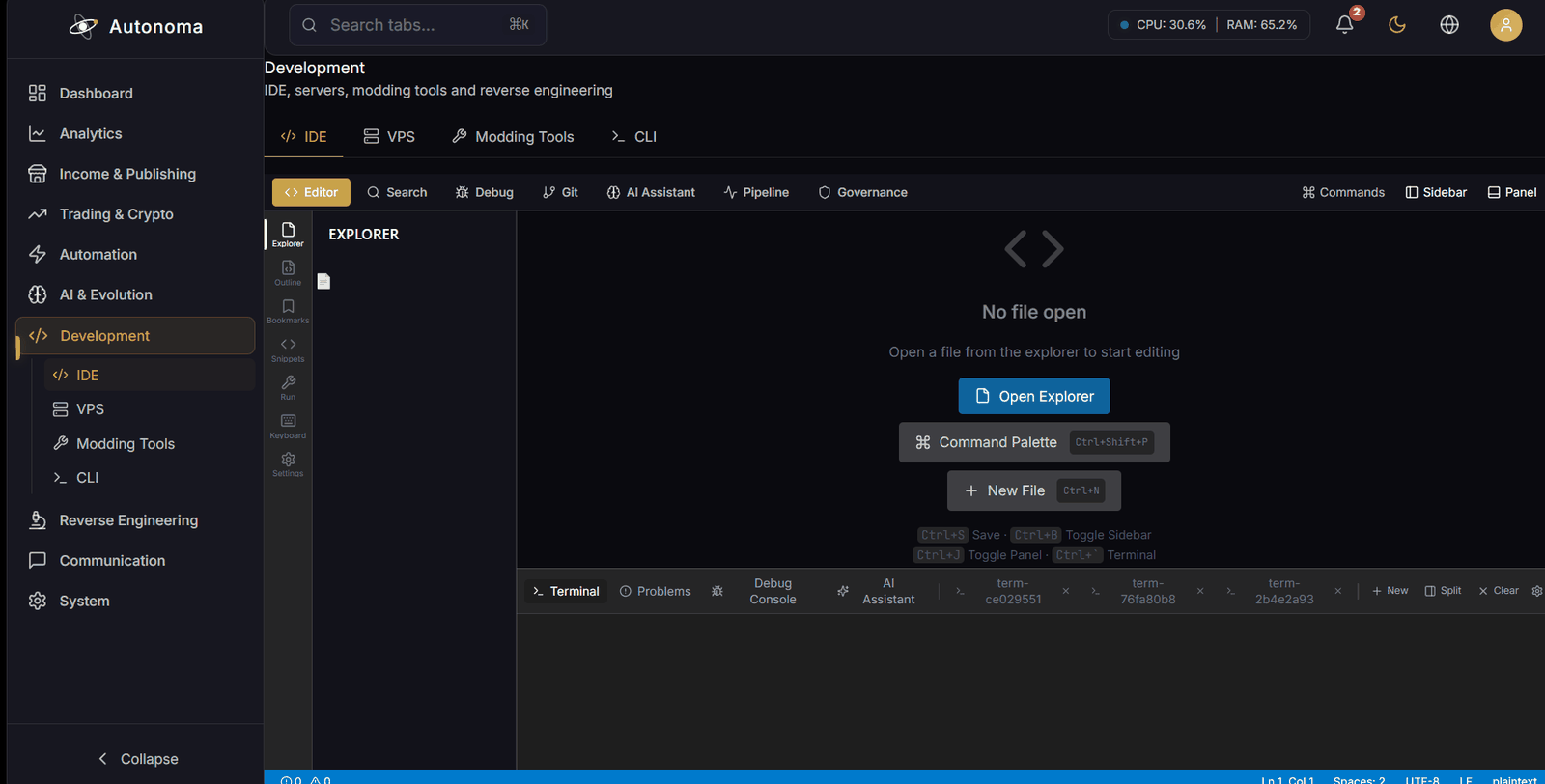
File tree, tabbed Monaco editing, project search, a git panel, problems and outline, integrated terminals, debug sessions, language-server support, run configurations and AI code actions.
Ready
Add SSH connections, run remote commands, control and inspect services, browse files over SFTP, monitor resources and open a remote desktop.
Ready
A Jedi Knight II and Jedi Academy mod suite: projects, maps, models, saber hilts, assets, templates, a shared marketplace, scripts, build and publish, with an AI assistant alongside.
Map editing and model conversion are the least deeply verified parts of this screen.
A static-analysis suite over a compiled Rust engine that ships inside the app.
Ready
Check the analysis engine’s version, path, supported architectures and command catalogue, and follow the current run.
Ready
Parse headers, sections, imports and exports, and run a full analysis pass over an executable.
Ready
Disassemble x86, x64, ARM, ARM64 and MIPS, and decompile to readable pseudo-C.
The disassembler is the strong half. The decompiler lifts a function to pseudo-C rather than reconstructing it the way a dedicated decompiler does — expect a sketch, not Hex-Rays.
Works, with a caveat
Track tainted data through a binary and reconstruct its control-flow graph.
The control-flow graph works — it walks a real executable and reports its blocks and paths. Taint tracking is the unfinished half: it currently reports no taint events, so use this pane for control flow rather than for following data.
Ready
Compare two binaries and see what changed between them.
Matches functions by exact hash and by control-flow structure, which is what finds moved and unchanged code. The semantic and fuzzy matchers are not yet producing results, so a function whose body was edited tends to show as unmatched rather than as changed.
Ready
Identify cryptographic constants and scan for embedded secrets, credentials and assets, including token, signature and hash analysis.
Ready
Infer protocol grammar from a binary, and reconstruct an OpenAPI description and authentication flow from a captured HAR file.
The HAR side is the strong half — endpoints, auth flow, pagination and an OpenAPI 3.1 export. Grammar inference from raw binary messages is early: it needs a large corpus and tends to over-cluster rather than recover the field structure.
Ready
The same analysis over firmware images, WebAssembly modules, Android APK and DEX, and .NET assemblies.
Ready
Every command the engine exposes in one flat pane, for when you already know which one you want. The other panes group the same commands by purpose and show only the inputs each family needs.
A command this build of the engine does not report is shown as unavailable rather than hidden — including the five aimed at defeating software protection, which are refused deliberately.
Ready
Deep analysis of binary security features, obfuscation, logic inversion, and cryptographic hash extraction.
Ready
Analyze Stratum mining protocols, verify job integrity, inspect pool fees, and detect hijack attempts.
Ready
Every analysis provider the engine can use, each with the status the backend actually reports — ready, not installed, not configured, or licence-required — so nothing is shown available that the machine cannot run.
Ready
A project-first workspace for the reverse-API-engineering toolkit: create a project, add sources by static scan or HAR import, and review redacted findings, correlations and reports together in one place.
Ready
Reverse-API-Engineer toolkit covering static analysis, memory inspection, HAR capture, and traffic interception.
Ready
Extended engine capabilities for sophisticated analysis and defense bypass strategies like SSL unpinning.
Works, with a caveat
Custom script generation, automated Frida hook deployment, and code generation based on API analysis.
The code generator is the weak part: asked to model a captured API it emits Python that does not compile, so treat anything it produces as a sketch to fix up rather than code to run.
Reaching the people who follow you.
Ready
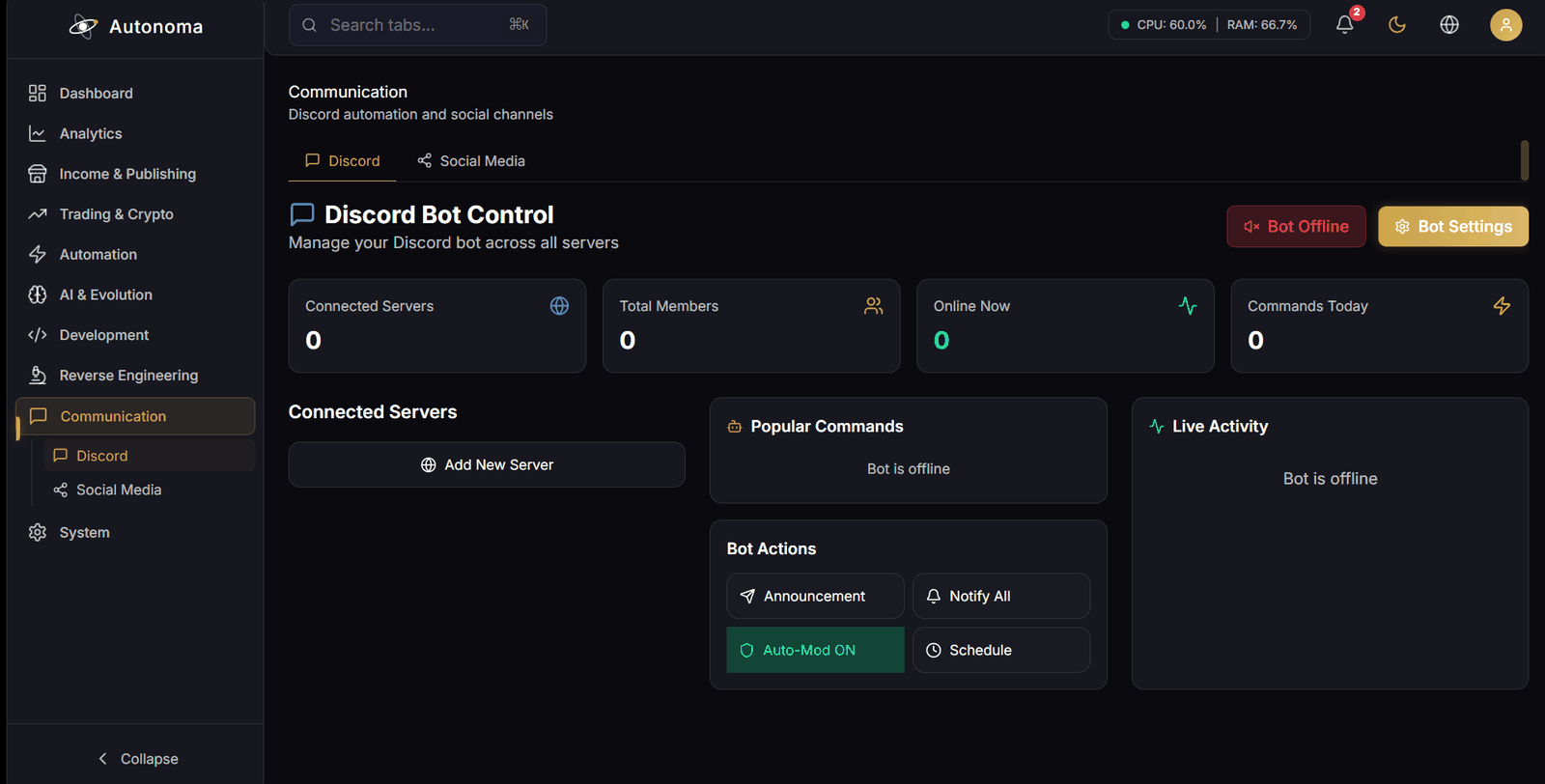
Connect a bot, set welcome and announcement channels, send or schedule announcements, broadcast across servers, and watch the event feed.
Ready
Connect accounts, compose and schedule posts, get hashtag suggestions, and read per-account statistics. The Studio inside it plans and approves content — see the Social Studio guide.
Keeping it running, and keeping it honest.
Ready
Install, start and stop the headless background service that runs the engines with no window open. It reports whether the service is registered and whether it is actually alive as two separate facts.
Running unattended is the Studio plan. On Personal the service refuses to start and names the plan as the reason, rather than starting and quietly doing nothing.
Works, with a caveat
Browse the feature inventory by category and status, switch features on or off, and see which screen each one lives on.
The catalogue is a maintained list describing intent. It is not live capability detection, and it is not presented as such. A feature with nowhere to use it says so rather than looking like one you can open.
Ready
Run a security scan, read the event feed and server audit log, and rotate the local API key.
Ready
Application settings, your own API keys for 84 providers, licence, updates, export of your data, and a reset.
Autonoma updates itself: it checks about ninety seconds after launch, downloads what it finds, verifies the release signature and installs it when no background job is running. This screen shows what it found and lets you apply it yourself. Turning it off is an environment variable, not a switch here — see the Support Policy.
Ready
Filter and search recent logs by level, clear them, and export.
The workings underneath: how the workspace arranges itself, what the app records about itself, and what it will not do.
Works, with a caveat
Twelve families that decide how the workspace arranges itself: docking, navigation, animation and motion, the splash, themes that follow the time of day, and a design sandbox.
This build has no Qt dock to apply a saved layout to, nothing watching which panels you open, and no automatic UX fix. Those panels say so where their button would be, rather than offering a control that refuses on every press.
Works, with a caveat
Plugin lifecycle, two manifest versions, providers, and two sandboxes — load, inspect and unload what is installed.
There is no plugin registry and no signing trust root in this build, so the marketplace and remote-loader panels print the backend’s own refusal instead of drawing a shop with an empty shelf. Nothing is installed from the internet.
Ready
What the app records about itself: the event bus, the normalizer and schema registry, the AI operation log, a frame profiler, a performance overlay, the in-memory log ring and the crash log.
Local only. This is Autonoma watching itself on your machine; none of it is sent anywhere.
Works, with a caveat
The schemas and contracts the dashboards read: the contract registry, the shared data model and its subscriptions, the stored-entry registry, semantic UI metadata, and which toolkit is measurably running.
The legacy-access ledger is read-only here — migrating that data is gated, and the panel says so rather than offering a button.
Works, with a caveat
Eleven analyses of the older codebase underneath: what references a file, what a refactor would change, where the code is inconsistent, and what a cleanup would move.
Deliberately a page of reports. Nothing on it rewrites, moves or deletes a file except one cleanup that moves a single verified file into an archive folder and asks the filesystem before it says it did.
Works, with a caveat
Twelve operational families in one place — JK2 combat analysis and data collection, community rules, revenue ops and multichain among them.
Four of the twelve are here to show what is withheld. Batch crypto claiming, cross-chain transfers, JK2 breakpoints and both V4 evolution triggers are refused by their backends on every call, and each panel prints that refusal where the control would have been.
The reverse-engineering engine ships with five of its commands deliberately disabled — the ones aimed at defeating software protection. That refusal is enforced in the application, not left to a policy document, and the disabled commands are listed in the interface so you are not left wondering where they went.
Anything that could spend money is switched off until you turn it on, and storing an API key does not turn anything on. Autonoma does not send money on your behalf anywhere in the application — where it tracks a payout, it is recording one you made yourself in your own payment provider.
And nothing publishes under your name without you approving it first. See safety and dry run.